You wrote a good email.
Finish like you mean it.
Lose the default sign-off. Put your name, your business,
and your next step in one sharp signature. Make it yours below.
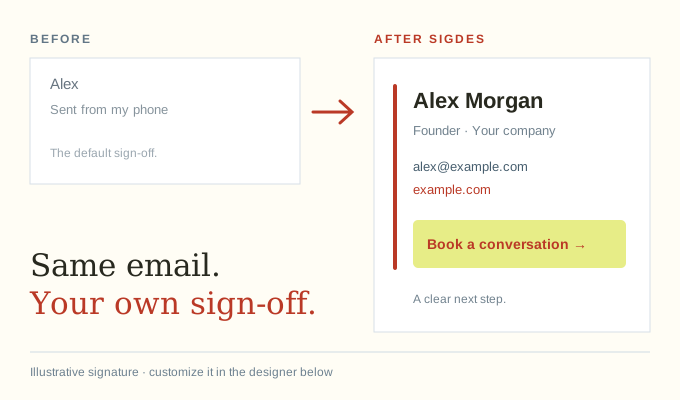
Your details. Your style. Try it right here.
Free to try ↓Hi there,
Great connecting with you. Here’s that next step
we talked about.
Talk soon,
Preview appearance can vary from your email app. Test-send before general use.
One signature $19. Up to ten $49.
One payment. No subscription. Pick any design, then edit and export your saved signatures as often as you need.
“Why is this so fiddly?”
These are public requests for help, not Sigdes customer reviews or proof of our sales.
“Looking for an email signature generator that keeps things consistent but doesnt turn into another thing I have to babysit every week.”
“Ideally something simple where I can set a template and people can just fill in name, title, phone etc.”
“We have a mixed team where half the staff uses Gmail on Macs and the other half relies on desktop Outlook on Windows, which has turned into a massive formatting headache.”
“I'm willing to pay a one time fee”
“But I rebuilt this thing four times now and it still doesn't work.”
“What is the best/easiest way to create a company email signature for a team of about 12?”
“I started making a template in Docs and tried copying/pasting it into the signature field, but it skewed all over the place.”
The details. No fine-print hunt.
How much does Sigdes cost?
Solo costs $19 once for one saved signature slot. Team costs $49 once for up to ten. Both include all three designs, unlimited edits, and clean HTML exports. This is self-service software, not a manually fulfilled design service.
Do I need an account, and can I export for free?
You can try the marked preview without an account. Clean exports and saved signatures require payment. After payment, a private email link opens your designer, and a secure cookie remembers access on that device. No password is needed.
What can I create with Sigdes?
Create personalized HTML email signatures with contact details, a brand color, and a clickable call-to-action link. Installation instructions are included. Rendering can vary between email apps and devices, so send a test before general use.